Description
Ajax Space Control
Description
Principle of operation for the spacecontrol
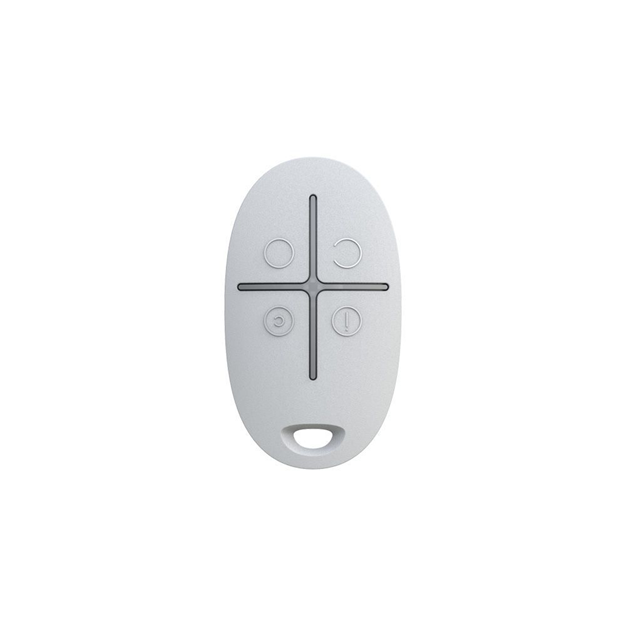
Ajax SpaceControl controls the security modes and sends an alarm signal to the Central Monitoring Station by pressing the key fob panic button.
Features
Connecting and setting up
Classification
Four-button key fob with command delivery indication
Compatibility
Operates with Hub, Hub Plus, Hub 2, ReX, ocBridge Plus, uartBridge
Number of buttons
4
Deactivation of the panic button on the Ajax Space Control
Available
Power supply
Battery: CR2032 battery
Power supply voltage: 3 V
Battery life — up to 5 years
Jeweller radio technology
Communication range with central unit — up to 1,300 m in an open space
Two-way communication between devices
Operating frequencies — 868.0 – 868.6 MHz
Self-adjusting RF output power — up to 20 mW
Block encryption based on AES algorithm
Device polling period — 12 – 300 s
Learn more about Jeweller
Operating temperature range
From -25°? to +50°?
Permissible humidity
Up to 95%
Dimensions
65 × 37 × 10 mm
Weight
13 g
Certification
Grade 2, CE
Connection to hub
Before starting connection:
- Following the hub instruction recommendations, install the Ajax application on your smartphone. Create an account, add the hub to the application, and create at least one room.
- Go to the Ajax application.
- Switch on the hub and check the internet connection (via Ethernet cable and/or GSM network).
- Ensure that the hub is disarmed and does not start updates by checking its status in the mobile application.
What’s in the box of the Ajax Space Control
1 x SpaceControl keyfob
1 x CR2032 battery (pre-installed)
1 x User’s guide”